
Lookup an Audi Window Sticker by VIN
Recreate any Audi window sticker by VIN and view the original MSRP, options, standard equipment, packages, engine, colors, fuel economy, and more. Enter the Audi VIN to ensure the car matches your expectations.
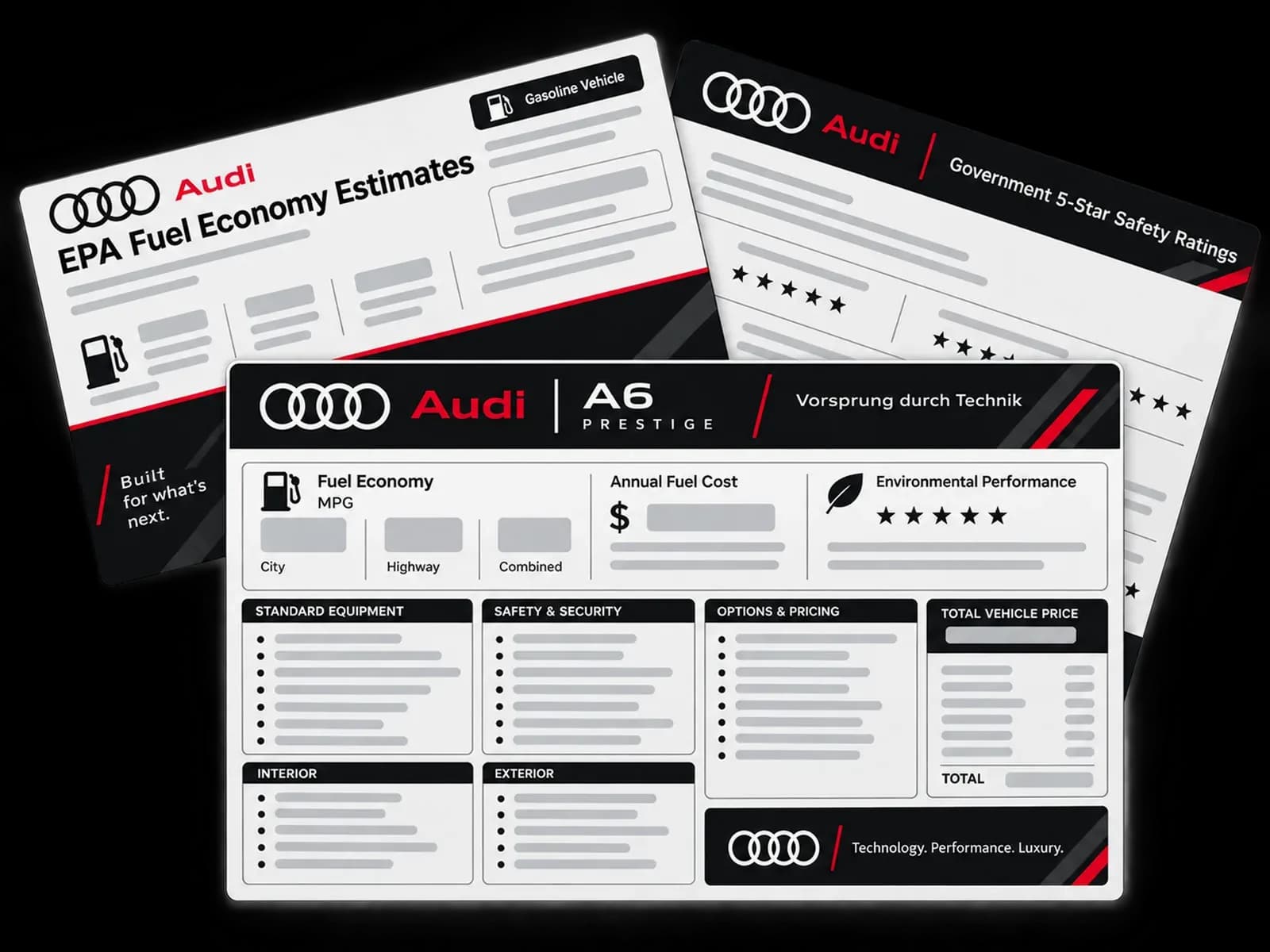
What is an Audi Window Sticker?
An Audi window sticker, also called a Monroney label, is a factory-issued sheet showing the vehicle’s MSRP, standard equipment, options, destination charge, and key ratings.
It is useful for confirming an Audi’s original build, comparing vehicles, understanding factory pricing, and verifying important fuel economy, emissions, and safety information.
Benefits of Looking Up an Audi Window Sticker by VIN
Getting an Audi window sticker by VIN helps buyers verify the vehicle and helps sellers present accurate details, pricing, and factory equipment.
Buyers
An Audi window sticker gives buyers useful details about the vehicle’s original build, pricing, and equipment, helping them compare listings and make more informed purchase decisions.
Verify the Audi’s Original Build
An Audi window sticker can show the VIN, model, trim, drivetrain, colors, and factory-installed options. This helps buyers confirm that the vehicle matches the seller’s description.
Understand MSRP and Factory Options
The sticker shows the original base MSRP, factory options, package prices, destination charges, and total MSRP. Buyers can use these details to compare similar Audi models and listings.
Separate Factory Equipment From Add-Ons
The sticker helps identify equipment installed by Audi at the factory. Features such as window tint, paint protection, or dealer-installed accessories may not appear on the original sticker.
Sellers
For sellers, an Audi window sticker provides verified factory details that can improve listings, support pricing information, answer buyer questions, and create greater confidence during a sale.
Support Your Asking Price
Showing the original MSRP and valuable factory options gives buyers more context about the Audi’s original configuration. This can help explain differences between similar vehicles.
Create a More Accurate Listing
The window sticker provides factory details such as trim, drivetrain, colors, packages, and equipment. Sellers can use these details to reduce mistakes when creating their vehicle listing.
Build Buyer Trust and Speed Up Sales
Sharing the original sticker gives potential buyers a clear view of the Audi’s factory build. It can answer common questions upfront and reduce back-and-forth during the sale.
What Information is Included in an Audi Window Sticker?
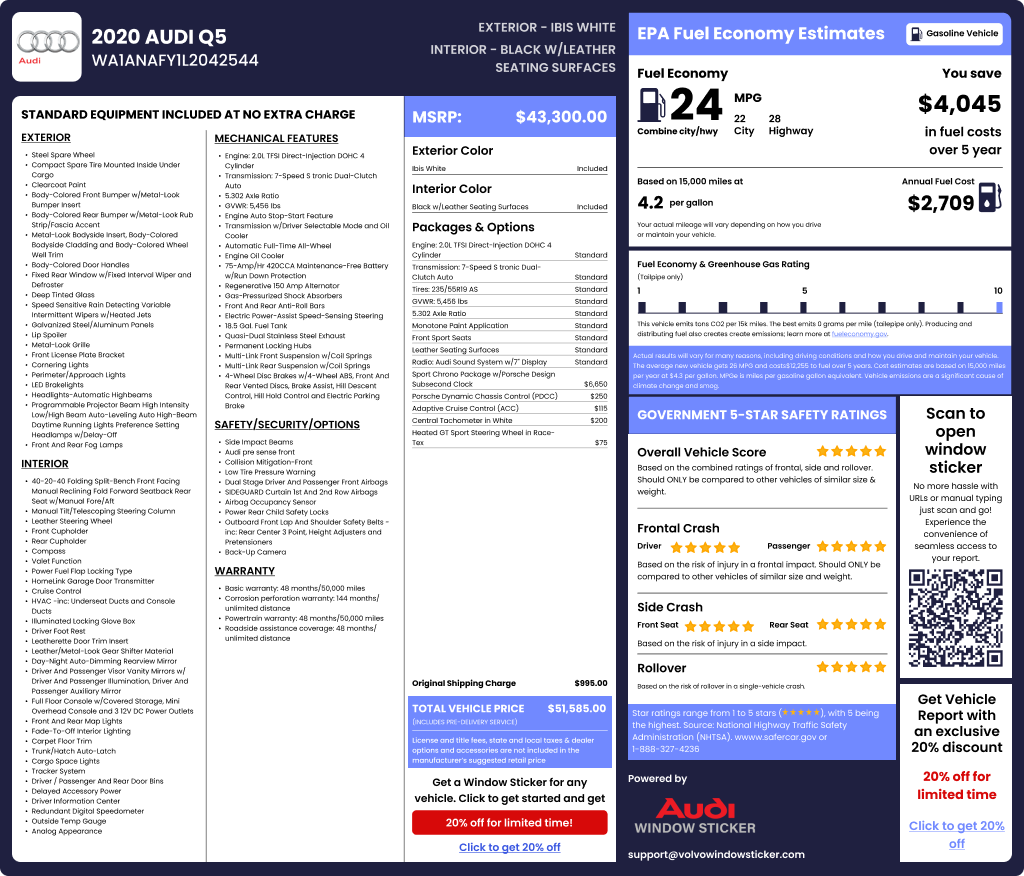
An Audi window sticker shows key details about the vehicle’s original configuration, pricing, factory equipment, fuel economy, and safety information. Here’s what to expect:
Vehicle Identification
Shows the VIN, model (A4, Q5, etc.), model year, trim (Premium, Premium Plus, Prestige, S/RS), engine designation (e.g., 45 TFSI), transmission (S tronic or tiptronic), drivetrain (quattro), and the final assembly location (for example, Ingolstadt or Neckarsulm).
Base MSRP
Lists the base price, each factory package or option with its price e.g., S line, Black Optic, Driver Assistance, and B&O®, the destination charge, and the total MSRP. This is your starting point when comparing two similar Audis.
Mechanical Features
The Audi Monroney sticker lists key mechanical details such as the engine type, transmission, drivetrain (e.g., TFSI® turbo, TDI® diesel on older models, e-tron EV, S tronic® dual-clutch, tiptronic® automatic, quattro®), sometimes with axle ratio or suspension notes.
Interior Features
Highlights cabin tech and comfort fitted by trim or option: seat materials and adjustments, heated/ventilated seats, panoramic sunroof, B&O® sound, wireless Apple CarPlay/Android Auto, ambient lighting, and advanced MMI features.
Exterior Details & Colors
Lists the original paint and interior colors, plus exterior features that affect value and looks. For example, wheel size and design, black optics, roof rails, and lighting signatures. This is handy for authenticity checks and for restorers of older models.
Fuel Economy & Environment label
The Audi window sticker shows city/highway/combined MPG (or MPGe for e-tron and PHEV), kWh/100 mi (EVs), five-year fuel-cost estimate vs. average, smog and greenhouse-gas ratings, and a QR code that links to personalized data on fueleconomy.gov.
Greenhouse Gas & Smog Ratings
Displays 1–10 scores for emissions and fuel efficiency. A higher value means cleaner. Good for buyers who care about environmental impact.
Factory-Installed Options
The Audi sticker lists optional upgrades and factory packages that enhance performance, comfort, or technology. These can include features like advanced driver-assist systems, sport appearance packages, upgraded sound systems, or adaptive suspension.
Manufacturer Warranty
Shows basic factory coverage for your Audi, including the new-vehicle limited warranty, powertrain coverage, and corrosion protection.
NHTSA Safety Rating
If the model has been tested, the sticker shows Government 5-Star Safety Ratings for overall, frontal, side, and rollover performance, using the standard format required by NHTSA.
How to Get the Audi Window Sticker by VIN?
With the VIN, you can retrieve any Audi window sticker showing MSRP, packages, paint/interior, and standard features. Follow these simple steps to get your Audi window sticker:
Enter the VIN
Type in the 17-character VIN. No VIN handy? You can also search by license plate or the year, make, and model.
Click “Get Window Sticker”
Hit the button to start the search. Instantly view the year, make, model, trim, transmission, engine, and more - for free.
Get the Audi Window Sticker
Pay the small fee to view and download the Audi window sticker as a printable PDF.
What an Audi Window Sticker Will Not Tell You
An Audi window sticker shows the vehicle’s original factory configuration, but it does not show its current condition, mileage, accident history, or maintenance records. Getting the Audi vehicle history report can provide additional information.
The sticker also cannot confirm whether factory parts were replaced, whether modifications were made later, or whether the vehicle still has its original equipment.
Why Choose Our Audi Window Sticker Tool?
Accurate & Trusted Data
We match your VIN to factory build records, so the options, packages, colors, and MSRP are correct. No guessing, no forum myths.
Instant Window Sticker Lookup
Type the VIN to access the window sticker in seconds.
Support All Audi Models
We have stickers for all Audi vehicles, from A3 to RS Q8, plus e-tron lines. We also support classic Audis such as the TT Mk1 and early A4/A6.
Easy Checkout Process
Clear steps, secure payment, instant access. No hidden hoops. If you can buy a coffee online, you can get your Audi window sticker. Download the PDF right after checkout.
Where Can You Find the VIN on an Audi?
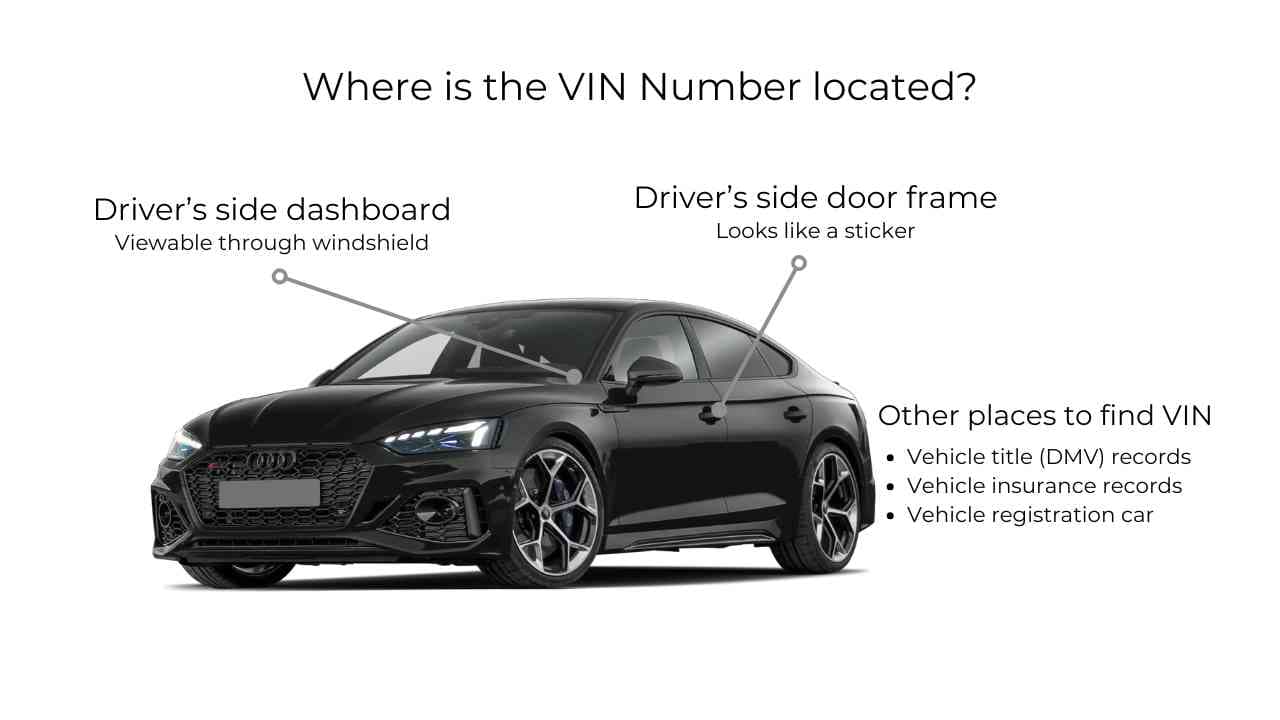
Most modern Audi vehicles use a 17-character VIN. You can usually find it in a few common places:
Look through the lower driver-side corner of the windshield.
Open the driver’s door and check the vehicle information label.
The VIN appears on registration, insurance, and other ownership documents.
On some models, the VIN or chassis number may appear under the vehicle or service information menu.
Get Window Stickers for all Audi Models
Our Audi window sticker lookup tool provides window stickers for every Audi model, whether classic or modern. These include:
| A3 | Q8 |
| A4 | e-tron |
| A6 | S4 |
| Q5 | RS5 |
| Q7 | TT |
← Scroll horizontally to see more →
Find More Audi Information With These Tools
Beyond the Audi Monroney sticker, you can use these tools to look up Audi paint codes, warranty status, options, and full specifications so you can make a confident decision.
Audi VIN Decoder
Decode any Audi VIN Number to instantly view the year, make, model, engine, trim, and more for free.
Audi Warranty Check by VIN
See the factory warranty coverage, including the years and mileage. Know what is still protected before you commit.
Audi Specs by VIN
Get verified performance and dimensions: power, torque, 0–60, towing, and more.
Audi Recalls by VIN
Check for past and open recalls in seconds. Make sure the Audi is safe for you and all users.
Audi Options by VIN
Reveal any Audi's original options, packages, and pricing. Confirm features to determine value and fair price.
Audi Build Sheet by VIN
Pull the original options, equipment, colors, and other production data. Verify authenticity and order the right parts during restoration.
Audi Vehicle History Report
Review title, mileage, accident, damage, lien, and recall records. Check the Audi’s history before you buy.
Recreate an Audi Window Sticker by VIN
Verify any Audi's original MSRP, factory-installed options, packages, colors, fuel economy, standard equipment, and safety features. Enter the VIN to get accurate factory information.
Recently Searched Audi Window Stickers
Latest vehicle checks for Audi
Refreshes daily
FAQ about Audi Window Sticker by VIN
Why is my Audi window sticker unavailable?
Your Audi window sticker might not be available because the car is old or has a pre-1981 VIN format, and the tool you're using cannot recognise it. If it's a new car, the digital record may not have been updated yet.
You can get any Audi window sticker using our versatile tool to view original options and packages, MSRP, warranty information, specs, and more)
Can I get my Audi window sticker from the VIN number?
Yes. Enter the 17-character VIN to generate a printable Audi window sticker with MSRP, options, colors, and more. Our tool also supports short VINs (5–14 characters) to help search older and pre-1981 Audi models.
Is MSRP the same as the window sticker?
No. The MSRP (Manufacturer's Suggested Retail Price) is one of the pieces of information provided in a window sticker. It also shows optional packages, shipping charges, color, and more
What is the dealer window sticker called for Audi?
It’s often called the Monroney label. Every new Audi sold in the U.S. must display this label with pricing, equipment, and fuel-economy info. You can get this information on our services.
How do I find my Audi vehicle build sheet?
You can find any Audi build sheet using our tool. Just enter the VIN to generate the document instantly.
How to get a full spec list/window sticker?
To get a full spec list or original window sticker for any Audi, enter the VIN into our specialized lookup tool to view the factory build specifications like the drivetrain, engine and more.