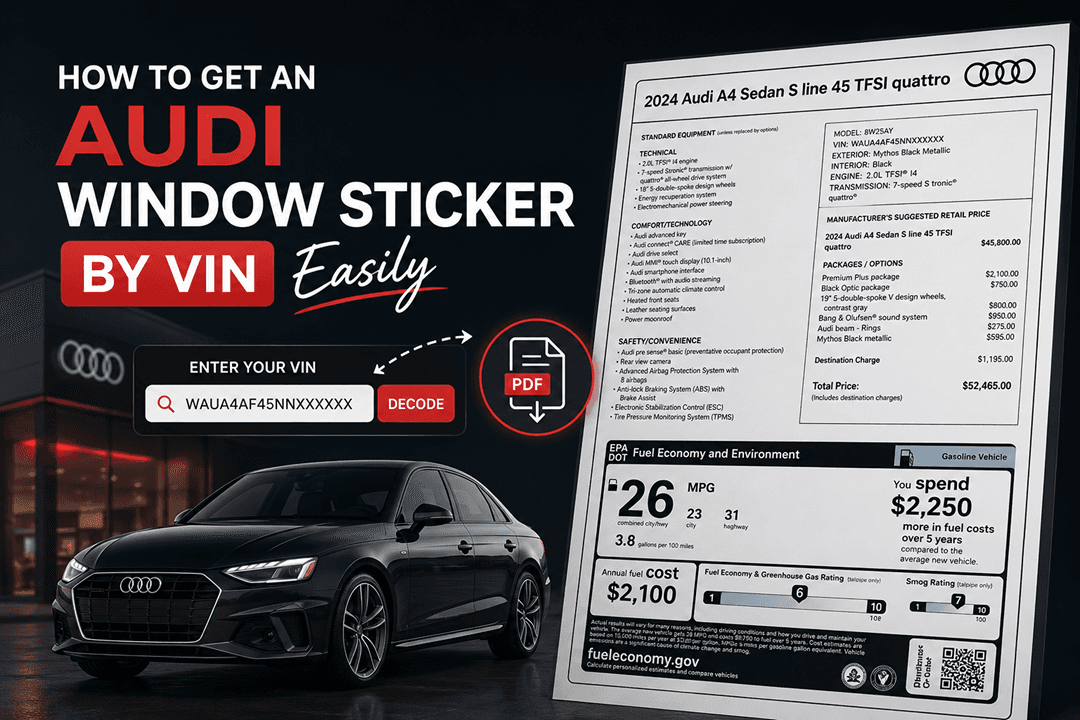

If you are an Audi owner, buyer, or enthusiast, you have likely encountered two important documents: the Audi window sticker and the build sheet. While both provide valuable information about your vehicle, they serve different purposes and have distinct types of data.
Knowing the differences between these two documents can help you verify factory options, authenticate a vehicle’s history, and make informed purchasing decisions with confidence.
Let's break down exactly what sets a window sticker apart from an Audi build sheet, and why both matter when dealing with used Audis.
What is an Audi Window Sticker?
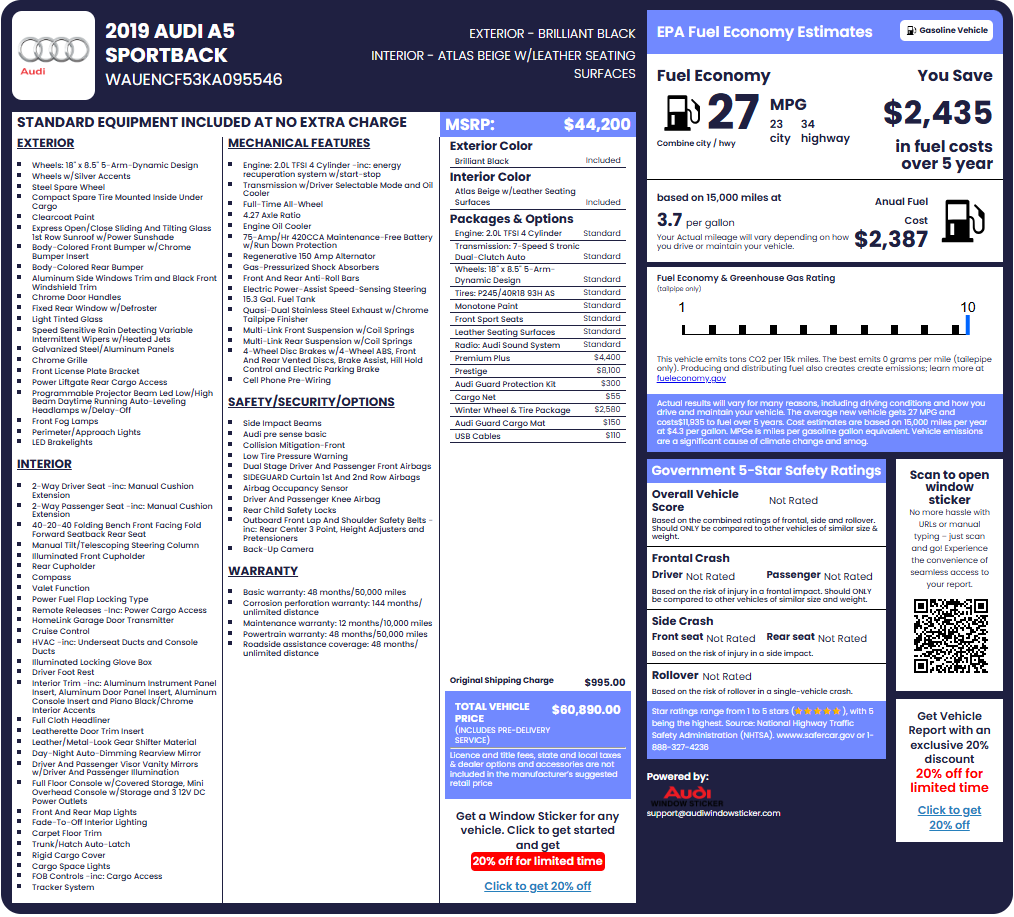
An Audi window sticker, formally known as the Monroney label, is the federally mandated label affixed to the window of a new Audi at the time of sale. It is designed to provide transparency for consumers by displaying information about the vehicle’s options, MSRP, features, fuel economy, and more.
How the Audi Window Sticker Differs
The Audi window sticker and build sheet may look similar; however, they serve different purposes. A window sticker is designed for buyers, showing pricing, features, and official details at the time of sale. In contrast, an Audi build sheet focuses on how the vehicle was assembled at the factory, listing production codes and internal specifications rather than consumer-friendly information.
Two key attributes of an Audi Monroney Sticker include:
A Window Sticker is a Legal Requirement
The window sticker is mandated by the Automobile Information Disclosure Act of 1958. This federal law requires that all new vehicles sold in the United States display a label showing the manufacturer’s suggested retail price (MSRP), standard equipment, and optional features with their costs.
It's a Consumer-Facing Document
The window sticker is intended for buyers and dealers. It summarizes the vehicle’s key selling points in an easy-to-read format, helping consumers compare vehicles and understand what they are paying for.
A Snapshot of the Information Included in a Window Sticker
An original window sticker will usually include the following factory information:
- Original MSRP: This is the Manufacturer's Suggested Retail Price - the Base price
- Total price: Includes the MSRP, optional equipment costs, and destination charge.
- Standard Features: Equipment included with the base trim level.
- Optional Equipment: Factory-installed packages and individual options with pricing.
- Fuel Economy: EPA-estimated city, highway, and combined MPG.
- Original Colors: Exterior paint type and interior color.
- NHTSA Safety Ratings: Crash test ratings and safety features.
- Complete VIN: The 17-digit Vehicle Identification Number.
- QR Code/Barcode: For digital verification at dealerships.
What is an Audi Build Sheet?
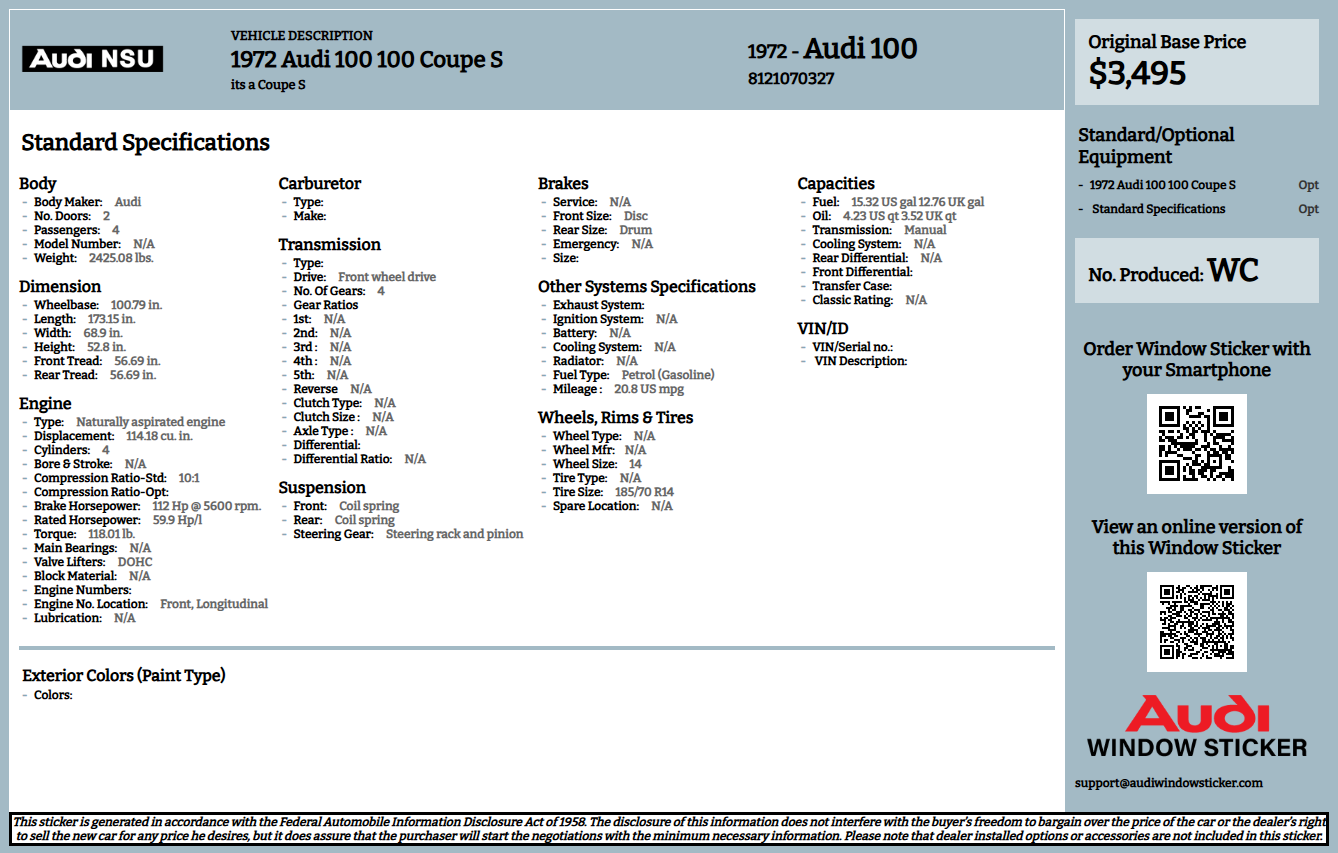
An Audi build sheet, also known as a factory build sheet, vehicle specification sheet, or production broadcast sheet. It is created during the manufacturing process and follows the vehicle down the assembly line.
Features of a Typical Build Sheet
An Audi build sheet is slightly different from a window sticker by possessing these key attributes:
Internal Factory Document
The build sheet is not intended for consumers. It is used by factory workers, quality control teams, and assembly line managers to ensure each vehicle is built to the exact specifications of the customer order.
Comprehensive Component List
Unlike the window sticker, which summarizes key features, the build sheet provides an exhaustive list of every part and component used in the vehicle, including:
- Engine code (e.g., EA888, CATA)
- Transmission code (e.g., DL501, 0B5)
- Paint code (e.g., LY9F for Suzuka Gray, LZ5Y for Nogaro Blue)
- Interior trim code (e.g., QE for Black Leather)
- Suspension components
- Electrical modules and control units
- Every bolt, clip, and fastener used in assembly
Multiple Formats
Build sheets may appear in different forms:
- Paper sheet: Historically, a physical sheet of paper that moved down the assembly line with the vehicle.
- Digital record: Modern vehicles have built-in data stored electronically in manufacturer databases.
- Sticker in spare tire well: Many Audis include a small sticker in the spare tire well or service booklet showing key option codes.
Audi Window Sticker Vs Build Sheet: Side-by-Side Comparison
| Feature | Window Sticker (Monroney Label) | Build Sheet (Factory Build Sheet) |
|---|---|---|
| Intended Audience | Consumers and dealers | Factory workers, technicians, parts specialists |
| Legal Status | Federally mandated for new car sales | Internal factory document; not legally required |
| Information Detail | Summary of pricing, options, and fuel economy | Comprehensive list of every component and part number |
| Option Codes | Descriptions only (e.g., “Bang & Olufsen Sound System”) | Three-digit option codes (e.g., “9VS” for Bang & Olufsen) |
| Pricing Information | Yes—includes MSRP and option costs | No—pricing is not included |
| Component-Level Details | No—only major packages and options | Yes—down to individual bolts and wiring harnesses |
| Fuel Economy | Yes—EPA estimates | No |
| Availability | Often lost; can be recreated via VIN | Often found in the spare tire well, service booklet, or dealer databases |
| Best For | Verifying MSRP, packages, and consumer-level options | Ordering correct parts, confirming exact specifications, and restoration projects |
← Scroll horizontally to see more →
Audi Window Sticker or Build Sheet: When to Use Each Document
Both the window sticker and the build sheet have almost the same details, but they serve different purposes. Knowing when to use the window sticker and build sheet helps you get the exact information to avoid confusion.
When to use an Audi Window Sticker
If you plan to purchase a used Audi, get a copy of the window sticker to check what features the vehicle has. It's useful in the following ways:
Verifying Original MSRP and Pricing
If you need to know what a vehicle cost when it was new, including the base price, optional equipment costs, and destination charge, the Audi window sticker is the definitive source. This information is useful for:
- Calculating depreciation
- Determining fair market value
- Negotiating a used car purchase
Confirming Factory Packages and Options
The window sticker clearly lists every factory-installed package (e.g., Prestige Package, S line Sport Package) and individual options (e.g., Bang & Olufsen sound system, adaptive air suspension) in plain English. This makes it easy to verify trim level and equipment without needing to decode option codes.
Fuel Economy and Safety Information
If you need the official EPA fuel economy ratings or safety ratings for a specific vehicle, the window sticker provides these at a glance.
Resale and Trade-In Documentation
Providing a window sticker to potential buyers or dealers adds transparency and credibility, often helping to justify a higher asking price or trade-in value.
When to Use an Audi Build Sheet
Build sheets are best used when you need detailed factory information. They provide exact component data and option codes.
Here are reasons why a build sheet is essential:
Ordering Replacement Parts
When ordering parts from an Audi dealership or online supplier, the build sheet, specifically the three-digit option codes (known as Audi PR codes or option codes), ensures you receive the correct component. For example:
- The same Audi A4 may have three different brake caliper options depending on the build sheet codes.
- Suspension components vary based on whether the vehicle has standard suspension, sport suspension, or adaptive air suspension.
Confirming Exact Specifications
If you need to know the paint code for a touch-up pen, the interior trim code for replacement upholstery, or the engine code for performance modifications, the Audi build sheet provides these details. The window sticker does not include this level of specificity.
Restoration and Collector Verification
For classic Audi restorations or collector vehicles, the build sheet is a critical document that proves the vehicle was built to a specific configuration. It helps answer questions like:
- Was this Audi originally equipped with the optional sport seats?
- Did it come from the factory with the quattro all-wheel drive system?
- What is the original paint color?
Service and Repair
Audi service technicians often refer to the build sheet (or digital equivalent) to:
- Identify the correct software version for control modules.
- Verify recall eligibility.
- Determine if a specific component is original equipment or aftermarket.
How to Get a Window Sticker and a Build Sheet
Did you know you can get both a window sticker and a build sheet using a VIN? Many online VIN lookup services can provide these details, including partial access to an Audi build sheet, quickly and easily.
Obtaining the Audi Window Sticker
To obtain the window sticker, enter the Audi VIN number into a reliable tool to retrieve a copy of the Audi window sticker by VIN.
Where is the Original Window Sticker?
The original window sticker came with the vehicle when new. If you are the first owner, it may still be in your glove box or service records. For used vehicles, the original is often lost.
What is a Recreated Window Sticker?
This is a digital replica of the original window sticker which can be obtained using the VIN. This provides:
- Original MSRP with itemized pricing
- Complete list of factory-installed options and packages
- EPA fuel economy ratings
- Standard equipment by trim level, and more.
Dealership Replica
An Audi dealership can print a replica using the VIN, though they may charge a fee and may require you to visit in person.
Obtaining a Build Sheet
You can use our Audi build sheet by VIN tool to get some build specs in less than a minute.
Common Misconceptions About the Window Sticker & Build Sheet
It’s easy to confuse a window sticker with a build sheet since both show vehicle details. However, they serve different purposes and are used in completely different ways.
Here are some misconceptions about the two important documents:
The window sticker and build sheet are the same thing
Fact: They are completely different documents. The window sticker is a consumer-facing summary focused on pricing and major options. The build sheet is an internal factory document that lists every component used to assemble the vehicle, down to individual bolts and wiring harnesses.
The build sheet shows the MSRP
Fact: Build sheets do not include pricing information. They are technical documents used for assembly, parts ordering, and specifications—not for pricing or sales. If you need the original MSRP, the window sticker is the correct document.
You don’t need the build sheet if you have the window sticker
Fact: While the window sticker is sufficient for most buyers, the build sheet is essential for:
- Ordering correct replacement parts.
- Restoration projects where the exact original specifications matter.
- Performance modifications where engine and transmission codes are required.
- Confirming paint codes for touch-up or repainting.
Build sheets are only for classic cars
Fact: Every Audi—new and old—has a build sheet (or digital equivalent). Modern Audis store build data electronically, but the information is still accessible through dealer systems or physical stickers in the spare tire well and service booklet.
The window sticker is legally required; the build sheet isn’t
Fact: This is true. The window sticker is mandated by federal law for new vehicle sales. The build sheet is an internal factory document with no legal requirement, though it is a valuable resource for owners and technicians.
FAQs About Audi Window Sticker vs. Build Sheet
Which document is more useful for used Audi buyers?
For most used car buyers, the Audi window sticker is more useful because it clearly shows the original MSRP, factory packages, and optional equipment in plain English. It helps verify that the vehicle has the features the seller claims. The build sheet is more useful for parts ordering and restoration.
Can I get a build sheet for my Audi using the VIN?
Yes. An Audi dealership can access the factory build sheet by VIN and provide a printout of the option codes. Some services also offer partial build data online, though dealership systems provide the most comprehensive information.
Does the Audi window sticker include PR codes?
No. The window sticker lists options in plain English (e.g., “Bang & Olufsen Sound System”) rather than three-digit PR codes (e.g., “9VS”). If you need the Audi PR codes for parts ordering, you will need the build sheet or a dealer printout.
Where can I find the PR codes on my Audi?
PR codes are typically found on a sticker in the spare tire well or on a sticker inside the service booklet. The spare tire well sticker is often large and white or black, listing dozens of three-digit codes.
Why would I need the Audi build sheet if I already have the window sticker?
The window sticker tells you what options you have (e.g., adaptive air suspension). The build sheet tells you the exact part numbers and codes (e.g., 2MC for adaptive air suspension). If you ever need to order a replacement part, verify a paint code, or confirm a specific component, the build sheet provides the necessary detail.
Is the build sheet tool the same as an Audi VIN decoder?
No. An Audi VIN decoder uses the 17-character VIN to provide basic information like model year, trim, transmission, engine, and assembly plant. A build sheet tool provides a comprehensive list of every option code and component specific to your individual vehicle, far more detail than what a free VIN decoder provides.
Do modern Audis still have physical build sheets?
Most modern Audis do not include a physical paper build sheet that moves down the assembly line. However, the build data is stored electronically, and many vehicles still include a sticker with PR codes in the spare tire well or service booklet. Dealerships can access the full electronic build data using the VIN.
Can I use the Audi build sheet to verify factory options for resale?
While the build sheet is technically accurate, most buyers and dealers prefer the window sticker for verifying Audi options by VIN because it is easier to read and includes pricing. However, providing both documents demonstrates exceptional documentation and can increase buyer confidence.